The example catalog
A map of the whole suite. Each example is one namespace under src/net/b12n/raygui_jlt/, runnable with a friendly bb <name> task or the underlying jolt -M:<name> without babashka. scripts/examples_registry.clj is the single source of truth this page is generated from; bb info prints the same grouping live.
bb <name>       # e.g. bb basic-controls (opens a window)
bb examples     # flat list with descriptions, plus the count
bb info         # the grouped cheat-sheet this page mirrors
24 examples across 7 groups. The suite is complete. Run bb info for the count that is actually true right now, not this page's memory of it.
basics
| preview | bb name | what it demonstrates |
|---|---|---|
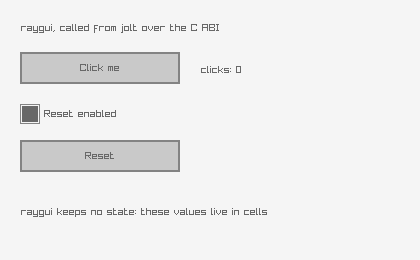 | basic-controls | The smallest complete raygui program: a button, a label and a checkbox over a live click counter. It proves the vendored library loaded, the by-value Rectangle reached the right bounds, and a :bool cell round-tripped through raygui's pointer API. |
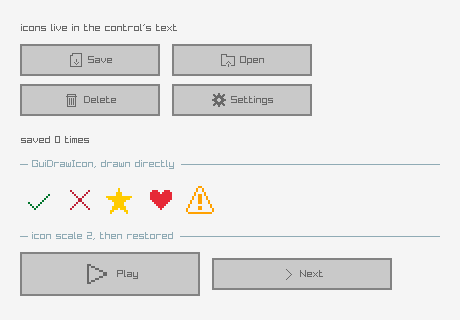 | icon-buttons | raygui ships 256 icons inside the header itself, so there is no image file to load. An icon reaches a control through its text: GuiIconText prepends a #nnn# marker that any control renders as the icon, while GuiDrawIcon draws one directly at a pixel size. The last row sets icon scale to 2, a reminder that the scale is global and persists until it is set back. |
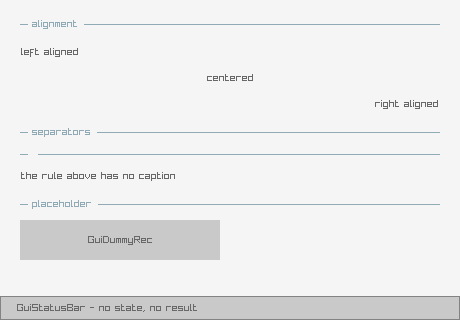 | labels-lines | The controls that carry no state: labels at three text alignments, separators with and without a caption, a placeholder box and a status bar. Also the one thing to watch about raygui styling: style properties are global and persist across frames, so a control that changes TEXT_ALIGNMENT for itself has to restore it, or every later control inherits it. |
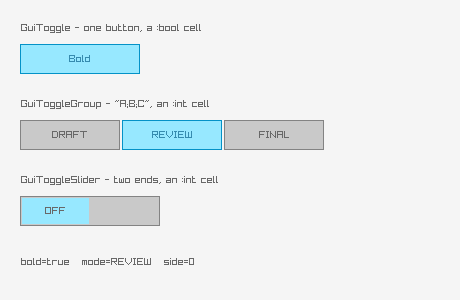 | toggles | The three toggle controls side by side. GuiToggle is a single on/off button over a :bool cell; GuiToggleGroup and GuiToggleSlider both take their options as one semicolon-separated string and report the selected index through an :int cell, raygui's usual way of passing a list without an array crossing the FFI boundary. |
inputs
| preview | bb name | what it demonstrates |
|---|---|---|
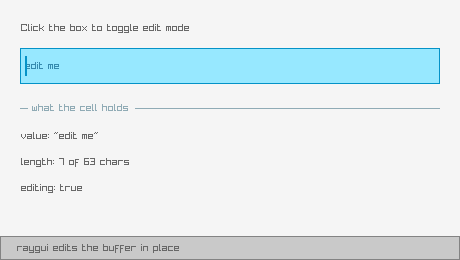 | text-box | An editable text box, and the edit-mode pattern every text-entry control in raygui uses. raygui keeps no memory of which box is being edited: the control returns non-zero when it wants the mode toggled, and the application flips its own :bool cell, so the same mechanism that carries control values also carries UI state. The buffer itself is a :text cell, a fixed char array raygui edits in place. |
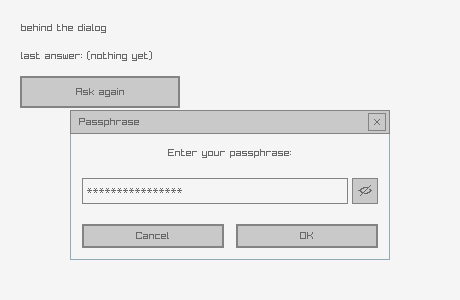 | text-input-box | GuiTextInputBox, a modal prompt built from a title, a message, an entry and a button row. The button row is one semicolon-separated string and the result arrives as an index in an :int cell, exactly like the toggle group. The optional secret cell adds a show/hide toggle and masks the entry, which is why it is a cell rather than a plain flag. |
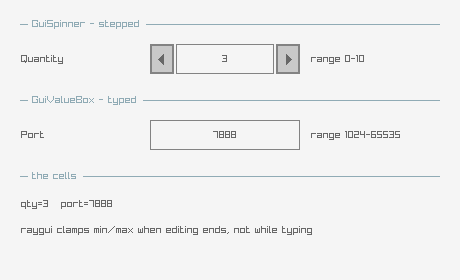 | spinner-value-box | The two integer entry controls. GuiSpinner has increment and decrement buttons; GuiValueBox is the same field without them, for typing a number directly. Both clamp to their own min and max once editing ends, but not while typing, so the cell can transiently hold an out-of-range value mid-edit. Both carry the edit-mode pattern from text-box. |
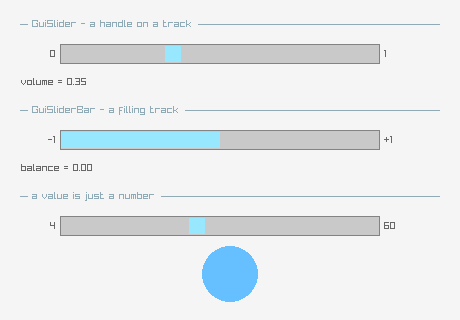 | sliders | GuiSlider and GuiSliderBar over :float cells. The two differ only in appearance: the slider draws a handle on a plain track, the slider bar fills the track up to the value. Both write straight into a :float cell, which is the whole of their state. The bottom row feeds a slider's value into a raylib circle, showing that a control's value is just a number once it is read back. |
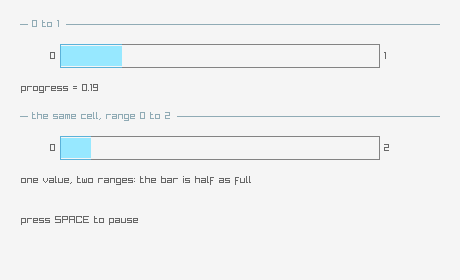 | progress-bar | GuiProgressBar, the one control the user cannot move. It still takes its value by pointer like every other control, because raygui's API is uniform, but nothing in the control writes back: the application advances the cell. Here a timer does it, wrapping at 100%, with a second bar showing the same value against a different range. |
collections
| preview | bb name | what it demonstrates |
|---|---|---|
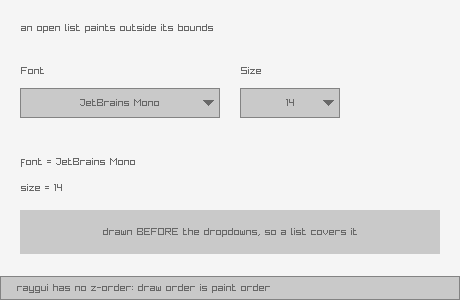 | dropdown-box | GuiDropdownBox, and the one layout rule immediate mode imposes. An open dropdown paints its list outside its own bounds, and raygui has no z-order, so draw order is paint order: a dropdown has to be drawn last, or whatever comes after it paints over the open list. This example draws its content first and the two dropdowns last, deliberately. |
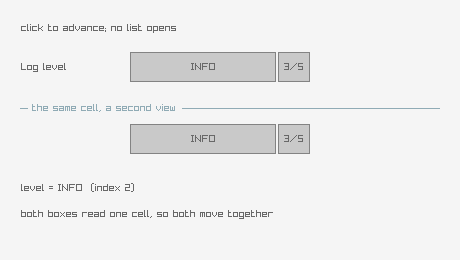 | combo-box | GuiComboBox, the dropdown's simpler sibling. It never opens a list: a click just advances to the next option in place, which makes it stateless in the UI sense, no edit mode to own, no draw-order rule to respect, at the cost of being slow to reach a distant option. The two controls here deliberately share ONE cell, so clicking either moves both: the cell is the state, and each control is only a view of it. |
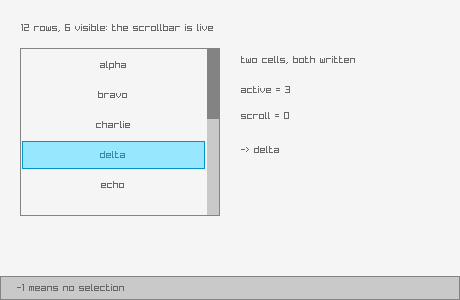 | list-view | GuiListView over a semicolon-separated string. Two cells, because raygui writes to both: one holds the scroll position (the index of the first visible row) and one the selection, where -1 means nothing is selected. Neither is remembered by the control between frames. The list holds more rows than fit, so the scrollbar is live. |
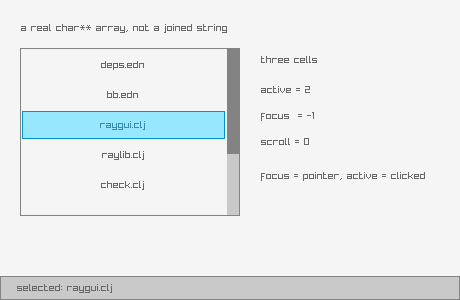 | list-view-ex | GuiListViewEx, the list view that takes a real string array and reports focus. This is one of only two raygui functions taking a real char** array rather than a semicolon string, so it is where an array actually crosses the FFI boundary: jolt's with-c-string-array builds it and frees every member plus the array itself on the way out, so the control is called inside that body rather than the array being handed back. The extra cell is :focus, the row the pointer is over, which is not the same as the row that is selected. |
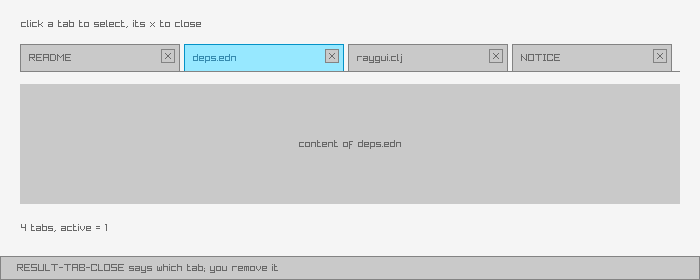 | tab-bar | GuiTabBar, and the one result value that is not a yes or no. Every other control answers "nothing happened" or "something changed"; the tab bar has a third answer, RESULT-TAB-CLOSE, meaning the user clicked a tab's close box. raygui does not own the tab list, so it cannot remove anything: it reports which tab and the application decides. Here closing a tab really removes it, so the list shrinks. |
containers
| preview | bb name | what it demonstrates |
|---|---|---|
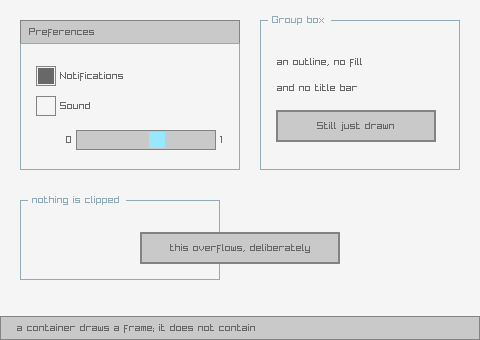 | panel-group-box | GuiPanel and GuiGroupBox, and what a container is not. Neither one contains anything: they draw a frame, they do not clip, do not own children, and do not offset what is drawn inside them. A control appears "inside" a panel only because its coordinates fall within the panel's rectangle and it was drawn afterwards, which is all containment means in immediate mode. The proof is the last group box, where a button is drawn deliberately overflowing it and nothing stops it. |
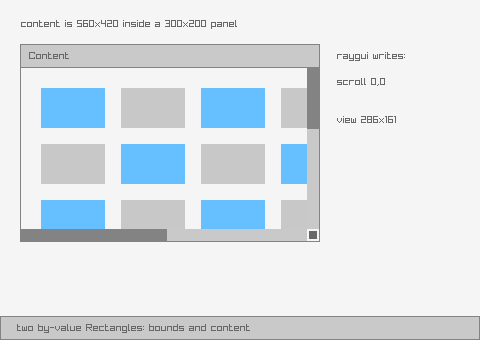 | scroll-panel | GuiScrollPanel, the only container that really clips, and the only control taking two by-value Rectangles in one call: its own bounds and the size of the content behind it. raygui writes back the scroll offset and the visible region so the caller knows how to draw the content shifted; drawing the content into a scissor region offset by that scroll is the caller's job, since raygui clips its own chrome, not the caller's drawing. Port of raygui's own scroll_panel example. |
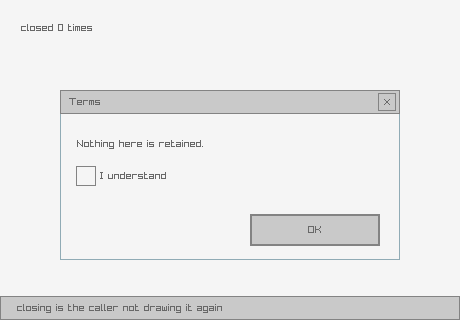 | window-box | GuiWindowBox, a panel with a title bar and a close button. Closing it does nothing on raygui's side: there is no window object to destroy and no visibility flag to clear, the control just reports that the close button was clicked and the application stops calling it. Reopening is just calling it again. |
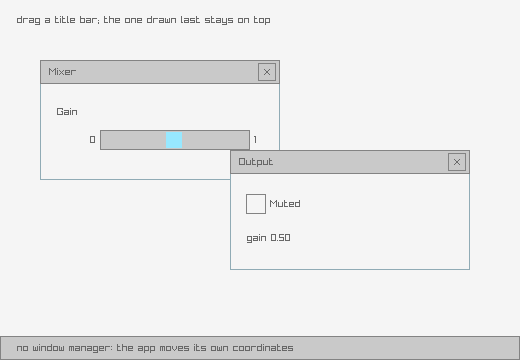 | floating-window | Draggable windows, hand-rolled because raygui has no window manager. The application watches for a press inside a title bar, remembers the grab offset and moves its own coordinates; the window box itself never knows it moved. Two windows also make the draw-order rule concrete, since there is no z-order either: the one drawn last is the one on top, and clicking a window that is behind does not raise it. Port of raygui's own floating_window example. |
dialogs
| preview | bb name | what it demonstrates |
|---|---|---|
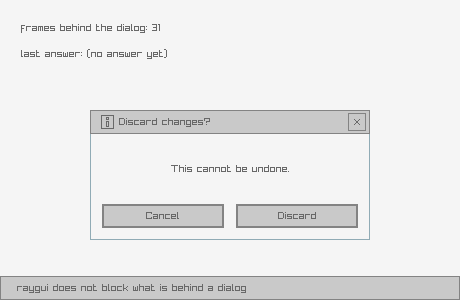 | message-box | GuiMessageBox, and what modality does not mean. raygui draws a dialog; it does not block anything behind it. There is no modal loop and no input capture: if the caller keeps drawing the controls underneath, they keep responding. Modality is the caller declining to draw the rest, and the counter behind the dialog keeps running to make that visible. |
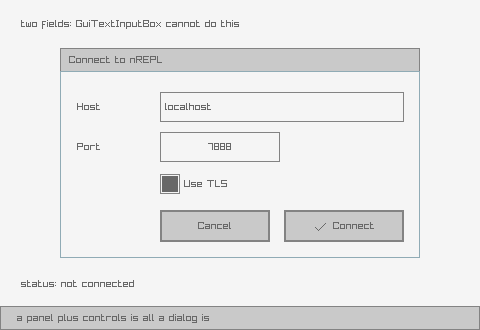 | custom-input-box | A dialog raygui does not ship, built from the controls it does. GuiTextInputBox is one fixed arrangement: title, message, entry, buttons. When that is not the arrangement wanted, there is nothing to subclass and nothing to configure, only a panel with controls placed on it, which is all GuiTextInputBox is doing internally. This one takes two fields rather than one, which the built-in cannot do at all. Port of raygui's own custom_input_box example. |
color
| preview | bb name | what it demonstrates |
|---|---|---|
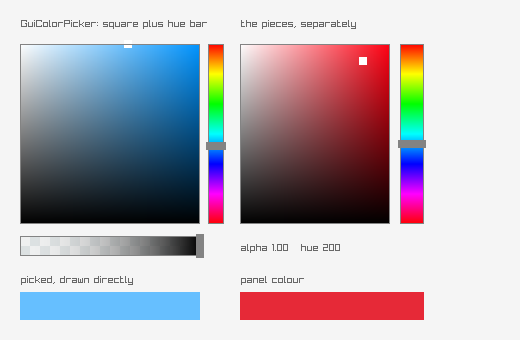 | color-picker | GuiColorPicker, plus the separate panel and bars it is assembled from. Worth knowing which encoding is in play: a :color cell holds a raylib Color, already packed 0xAABBGGRR, so a picked colour goes straight into a drawing call with no conversion, while a colour read from GuiGetStyle is raygui's 0xRRGGBBAA and must go through style-color first. Only the style side needs converting. Its return value is also not a reliable change signal: GuiColorPicker's hue bar unconditionally overwrites the square's result rather than OR-ing with it, so this example reads the cell instead of the return. |
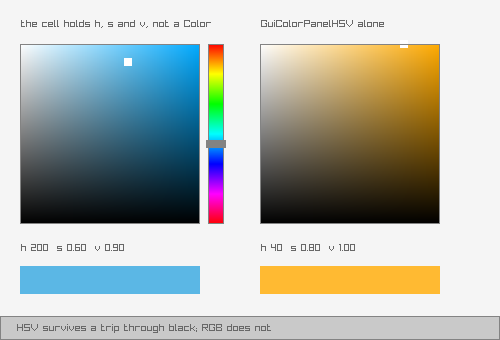 | color-picker-hsv | The HSV picker, and why raygui ships a second one. It looks like GuiColorPicker; it differs in what it stores. The RGB picker keeps a Color, so hue and saturation are re-derived from RGB every frame, and at zero saturation or zero value there is no hue left to derive: drag a colour down to black and its hue is gone when dragged back up. The HSV picker keeps h, s and v in a :vector3 cell instead, so hue survives, and the readout below shows the cell directly, where the difference is visible. |
styling
| preview | bb name | what it demonstrates |
|---|---|---|
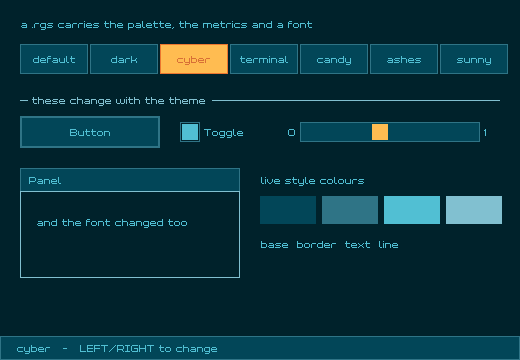 | style-selector | Cycling the six vendored .rgs themes. A .rgs file carries the whole appearance: colours, metrics and an embedded font, and loading one replaces raygui's global style, so every control drawn afterwards changes at once, including this example's own controls. The style is loaded from memory rather than by path, since GuiLoadStyle resolves its argument against the process working directory. Every colour on screen comes from style-color, which routes through raylib's GetColor, the same 0xRRGGBBAA-versus-0xAABBGGRR swap what-the-gates-do-not-catch.md measures elsewhere. Port of raygui's own style_selector example. |
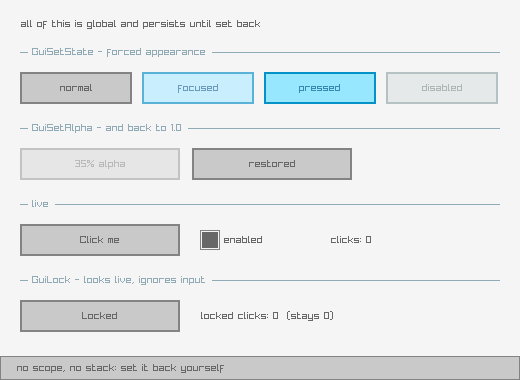 | gui-state | The global state API, and the discipline it needs. GuiSetState, GuiSetAlpha and GuiLock are all global and persistent: they apply to every control drawn afterwards until something sets them back, with no scope and no stack. Forgetting to restore one is the characteristic raygui bug, since the affected controls still draw, just wrong. Every block in this example sets its value back immediately. The bottom row is genuinely locked via GuiLock: click it and nothing happens. |
What the previews are
Every preview is a real capture of the example actually running, not a mockup. Each was produced by running the example with RAYGUI_APP_AUTO_QUIT_MS set, so the window closes itself, and RAYGUI_APP_SHOT pointed at a path, so it screenshots frame 30 before it does: the same mechanism what-the-gates-do-not-catch.md describes as this project's actual gate.
They are static frames, not recordings, and that is a deliberate choice, not a shortcut. raygui is mouse-driven by definition, and synthetic input does not actuate a raylib/GLFW window at all: measured upstream, 0 of 8 synthetic clicks and 0 of 2 synthetic drags were delivered at any hold duration tried, against 3 of 3 for plain pointer motion, because a window like this ignores pid-routed button events. An animated recording could show a cursor drifting toward a button; it could never show that button actually being pressed, a dropdown opening, or a slider being dragged. A still frame does not claim more than it shows, which is the honest version of a preview here.
Ports of raygui's own examples
Four examples are direct ports of programs in raygui's own examples/ tree: scroll-panel, floating-window, custom-input-box and style-selector, all built and in the tables above. NOTICE carries the attribution for all four.
Adding an example
Five touchpoints, from AGENTS.md:
- Source:
src/net/b12n/raygui_jlt/<name_underscored>.clj deps.ednalias::<name> {:main-opts ["-m" "net.b12n.raygui-jlt.<name>"]}check.cljrequire: alphabetically, so the compile gate covers it- Registry row:
["<name>" "<alias>" "<group>" "<desc>"]inscripts/examples_registry.clj, the single source of truth this page is generated from bb.edntask:<name> {:doc "▶ <desc>" :task (run-example "<name>")}
bb examples enforces the 49-character description cap and cross-checks the registry's description against bb.edn's :doc string, exiting non-zero on either mismatch, so a drifted description here is a build failure, not a stale doc page.
See also
the-ffi-shape.md: the binding pattern every control in this catalog shares.what-the-gates-do-not-catch.md: why a new example needs a screenshot that was actually looked at, and in some cases a read of the vendored C source, before it is done.